

យុទ្ធសាស្ត្រ SEO ដើម្បីជោគជ័យ: WordPress ជាជម្រើសដ៏ល���អបំផុតសម្រាប់អាជីវកម្មដែលចង់បានចំណាត់ថ្នាក់លេខ ១ លើ Google។

post

ការរៀបចំសេចក្តីសង្ខេបគម្រោង (Project Brief)៖ វិធីសាស្ត្រដើម្បីទទួលបានការដកស្រង់តម្លៃដ៏ល្អបំផុតពីក្រុមហ៊ុនអភិវឌ្ឍន៍បច្ចេកវិទ្យា

ការស្វែងរកភ្នាក់ងារអភិវឌ្ឍន៍ (Development Agency) ឱ្យយល់ពីចក្ខុវិស័យរបស់អ្នក និងផ្ដល់ការវាយតម្លៃតម្លៃ (Quote) ឱ្យបានត្រឹមត្រូវ អាចជារឿងដែលគួរឱ្យបារម្ភ។ គន្លឹះនៃជោគជ័យមិនមែនគ្រាន់តែជាការស្វែងរកភ្នាក់ងារដែលត្រឹមត្រូវនោះទេ ប៉ុន្តែគឺការផ្ដល់ព័ត៌មានដែលត្រឹមត្រូវដល់ពួកគេ។ ឯកសារសង្ខេបគម្រោង (Project Brief) ដែលត្រូវបានរៀបចំយ៉ាងល្អ គឺជាអាវុធសម្ងាត់របស់អ្នក ដើម្បីធានានូវភាពច្បាស់លាស់ កាត់បន្ថយការកែប្រែឡើងវិញ និងទទួលបានការដេញថ្លៃដែលល្អបំផុតសម្រាប់គម្រោងរបស់អ្នក។

ហេតុអ្វីបានជាឯកសារសង្ខេបគម្រោងរឹងមាំគឺជា “រឿងដែលមិនអាចខ្វះបាន”

សាកស្រមៃថាអ្នកសួរជាងសំណង់ឱ្យវាយតម្លៃតម្លៃផ្ទះមួយ ដោយមិនផ្ដល់ប្លង់ ឬសូម្បីតែគំនិតច្បាស់លាស់ថា តើអ្នកត្រូវការបន្ទប់ចំនួនប៉ុន្មាន។ វាមិនអាចទៅរួចទេ ហើយវានឹងនាំឱ្យមានការប៉ាន់ស្មានតម្លៃខ្ពស់ហួសហេតុ ការរំពឹងទុកខុស និងការខកចិត្ត។ ចំពោះការបង្កើតកម្មវិធី (Software) ក៏ដូចគ្នាដែរ។ ឯកសារសង្ខេបលម្អិតជួយឱ្យភ្នាក់ងារ៖

  • យល់ពីចក្ខុវិស័យរបស់អ្នក៖ ពួកគេអាចយល់ពីបញ្ហាស្នូលដែលអ្នកកំពុងដោះស្រាយ និងលទ្ធផលដែលអ្នកចង់បាន។

  • ប៉ាន់ស្មានតម្លៃបានត្រឹមត្រូវ៖ នៅពេលមានតម្រូវការច្បាស់លាស់ ពួកគេអាចកំណត់វិសាលភាពការងារបានល្អជាងមុន នាំឱ្យទទួលបានសម្រង់តម្លៃដែលច្បាស់លាស់ និងមានលក្ខណៈប្រកួតប្រជែង។

  • កំណត់បញ្ហាប្រឈមដែលអាចកើតមាន៖ ការដឹងពីភាពស្មុគស្មាញតាំងពីដំបូង ជួយឱ្យមានដំណោះស្រា��ទុកជាមុន និងការរៀបចំផែនការបានល្អប្រសើរ។

  • សម្រួលការប្រាស្រ័យទាក់ទង៖ វាដើរតួជាឯកសារមូលដ្ឋាន កាត់បន្ថយការសួរដេញដោលចុះឡើង និងការយល់ច្រឡំ។

ដូច្នេះ តើអ្នកត្រូវរៀបចំឯកសារសង្ខេប (Brief) យ៉ាងដូចម្តេច ដើម្បីឱ្យវាមានភាពលេចធ្លោ និងទទួលបានលទ្ធផលល្អបំផុត?

1. ចាប់ផ្ដើមដោយពាក្យថា “ហេតុអ្វី” (ទិដ្ឋភាពទូទៅ និងគោលដៅ)

កុំទាន់អាលផ្ដោតលើមុខងារ (Features)។ ចាប់ផ្ដើមដោយការផ្ដល់បរិបទ៖

  • សេចក្តីសង្ខេបប្រតិបត្តិ (Executive Summary): ទិដ្ឋភាពទូទៅខ្លីៗនៃគម្រោង។ តើវាជាអ្វី? តើវាដោះស្រាយបញ្ហាអ្វី?

  • គោលដៅអាជីវកម្ម: តើអ្នកសង្ឃឹមថានឹងសម្រេចបានអ្វីខ្លះ? (ឧទាហរណ៍៖ បង្កើនការលក់ ២០%, បង្កើនទំនាក់ទំនងជាមួយអតិថិជន)។ ត្រូវមានភាពជាក់លាក់ និងអាចវាស់វែងបាន។

  • ក្រុមគោលដៅ (Target Audience): តើនរណានឹងប្រើប្រាស់ផលិតផលនេះ? ការយល់ពីតម្រូវការរបស់ពួកគេគឺជារឿងសំខាន់សម្រាប់រចនាបទ និងមុខងារ។

2. កំណត់ពាក្យថា “អ្វីខ្លះ” (វិសាលភាព និងមុខងារ)

នេះគឺជាកន្លែងដែលអ្នករៀបរាប់លម្អិតពីអ្វីដែលភ្នាក់ងារត្រូវបង្កើត៖

  • មុខងារសំខាន់ៗ (Key Features): រៀបរាប់ពីមុខងារចាំបាច់ ថាតើវាធ្វើអ្វី និងហេតុអ្វីវាសំខាន់។ បែងចែកអាទិភាព (ត្រូវតែមាន, បើមានកាន់តែល្អ, ទុកសម្រាប់ដំណាក់កាលក្រោយ) ។

  • ដំណើររបស់អ្នកប្រើប្រាស់ (User Journeys): បង្ហាញពីរបៀបដែលអ្នកប្រើប្រាស់ម្នាក់ប្រាស្រ័យទាក់ទងជាមួយផលិតផលរបស់អ្នក។

  • តម្រូវការបច្ចេកទេស (Technical Requirements): ប្រសិនបើអ្នកមានបច្ចេកវិទ្យាដែលចង់បាន ឬប្រព័ន្ធដែលត្រូវភ្ជាប់ជាមួយ (ឧទាហរណ៍៖ ត្រូវភ្ជាប់ជាមួយ CRM ដែលមានស្រាប់)។

  • ស្ថានភាពបច្ចុប្បន្ន ប្រៀបធៀបនឹងស្ថានភាពដែលចង់បាន: ប្រសិនបើនេះជាការកែលម្អប្រព័ន្ធចាស់ ត្រូវបញ្ជាក់ពីចំណុចខ្វះខាតបច្ចុប្បន្ន និងអ្វីដែលចង់បានថ្មី។

3. ពិចារណាលើ “ថវិកា និងពេលវេលា”

ការផ្ដល់នូវកម្រិតថវិកាដែលជាក់ស្តែង ជួយឱ្យភ្នាក់ងារអាចរៀបចំសំណើឱ្យត្រូវនឹងអ្នក៖

  • កម្រិតថវិកា (Budget Range): ជាជាងដាក់ចំនួនលេខមួយគត់ គួរផ្ដល់ជាចន្លោះ (ឧទាហរណ៍៖ $50,000 – $70,000)។

  • ការរំពឹងទុកលើពេលវេលា (Timeline): តើអ្នកចង់ឱ្យគម្រោងរួចរាល់នៅពេលណា? ត្រូវមានភាពប្រាកដនិយម និងបញ្ជាក់ពីថ្ងៃឱសានវាទ (Deadline) បើមាន។

  • ការបែងចែកដំណាក់កាល (Phased Approach): តើអ្នកយល់ព្រមអភិវឌ្ឍជាដំណាក់កាល (ដូចជាធ្វើ MVP ជាមុន) ដែរឬទេ?

4. រូបភាព និងសម្ភារៈយោង

រូបភាពមួយសន្លឹក មានតម្លៃស្មើនឹងពាក្យរាប់ពាន់ម៉ាត់៖

  • Wireframes/Mockups: សូម្បីតែគំនូរព្រាងដោយដៃ ក៏អាចបញ្ជាក់ពីគំនិតរបស់អ្នកបានច្បាស់ជាងអត្ថបទ។

  • ការវិភាគគូប្រជែង: បង្ហាញពីផលិតផលស្រដៀងគ្នាដែលអ្នកចូលចិត្ត (ឬមិនចូលចិត្ត) និងហេតុផល។

  • គោលការណ៍ម៉ាកសញ្ញា (Brand Guidelines): ប្រសិនបើកា��រចនា (Design) គឺជាផ្នែកមួយនៃគម្រោង សូមចែករំលែកនូវអត្តសញ្ញាណម៉ាកសញ្ញា (Brand Identity) របស់អ្នក រួមមាន ពណ៌ និងប្រភេទអក្សរ (Fonts)។

  • ឧទាហរណ៍យោង (Examples): ផ្ដល់នូវតំណភ្ជាប់ (Links) ទៅកាន់គេហទំព័រ ឬកម្មវិធីដែលមានមុខងារ ឬសោភ័ណភាពដែលអ្នកកោតសរសើរ និងពេញចិត្ត។

5. ក្រុមការងារ និងរបៀបប្រាស្រ័យទាក់ទង

ចូរបង្ហាញឱ្យភ្នាក់ងារអភិវឌ្ឍន៍ដឹងថា តើពួកគេនឹងត្រូវធ្វើការជាមួយនរណាខ្លះ។

  • អ្នកពាក់ព័ន្ធសំខាន់ៗ (Key Stakeholders): តើនរណានឹងក្លាយជាអ្នកទំនាក់ទំនងចម្បង? ហើយតើនរណាជាអ្នកធ្វើការសម្រេចចិត្តចុងក្រោយ?

  • ការប្រាស្រ័យទាក់ទងដែលចង់បាន (Preferred Communication): តើអ្នកចូលចិត្តទាក់ទងតាមរបៀបណា (អ៊ីមែល, ការហៅវីដេអូ ឬឧបករណ៍គ្រប់គ្រងគម្រោងផ្សេងៗ)?

  • ការរាយការណ៍ (Reporting): តើអ្នករំពឹងចង់បានការធ្វើបច្ចុប្បន្នភាពការងារញឹកញាប់ប៉ុណ្ណា ហើយក្នុងទម្រង់បែបណា?

6. ព័ត៌មានលម្អិតផ្នែកច្បាប់ និងរដ្ឋបាល

កុំរំលងនូវរឿងរ៉ាវជាក់ស្តែងមួយចំនួន។

  • ដំណើរការ RFP/RFQ: ប្រសិនបើអ្នកមានដំណើរការដាក់សំណើដេញថ្លៃ (Request for Proposal) ជាផ្លូវការ សូមបញ្ជាក់ពីវាឱ្យបានច្បាស់លាស់។

  • តម្រូវការក្នុងការដាក់ស្នើ (Submission Requirements): តើអ្នករំពឹងចង់ឃើញអ្វីខ្លះនៅក្នុងសំណើរបស់ពួកគេ (ឧទាហរណ៍៖ រចនាសម្ព័ន្ធក្រុមការងារ, បទពិសោធន៍កន្លងមក (Case studies), ការបំបែកថ្លៃចំណាយលម្អិត)?

  • ការរក្សាការសម្ងាត់ (Confidentiality): ប្រសិនបើគម្រោងរបស់អ្នកពាក់ព័ន្ធនឹងព័ត៌មានរសើប សូមបញ្ជាក់ពីតម្រូវការរបស់អ្នកសម្រាប់កិច្ចព្រមព្រៀងមិនទម្លាយការសម្ងាត់ (NDAs)។

ការបូកសរុបដើម្បីទទួលបានការវាយតម្លៃតម្លៃដែលល្អបំផុត

ឯកសារសង្ខេបគម្រោង (Project Brief) ដែលមានលក្ខណៈគ្រប់ជ្រុងជ្រោយ បង្ហាញពីវិជ្ជាជីវៈ និងការយល់ដឹងច្បាស់លាស់អំពីតម្រូវការរបស់អ្នក។ វាផ្តល់អំណាចឱ្យភ្នាក់ងារអភិវឌ្ឍន៍ អាចឆ្លើយតបមកវិញនូវសំណើដែលត្រឹមត្រូវ និងមានការគិតគូរបានល្អិតល្អន់ ដែលឆ្លុះបញ្ចាំងពីវិសាលភាពការងារពិតប្រាកដ។

តាមរយៈការវិនិយោគពេលវេលាតាំងពីដំបូង ក្នុងការរៀបចំឯកសារសង្ខេបឱ្យបានលម្អិត អ្នកមិនមែនគ្រាន់តែស្នើសុំការវាយតម្លៃតម្លៃប៉ុណ្ណោះទេ ប៉ុន្តែអ្នកកំពុងតែបង្កើតគ្រឹះដ៏រឹងមាំសម្រាប់ភាពជាដៃគូដ៏ជោគជ័យ និងទទួលបានគម្រោងមួយដែលឆ្លើយតបទៅនឹងការរំពឹងទុករបស់អ្នក។

តើអ្នកកំពុងស្វែងរកដំណោះស្រាយដែលស័ក្តិសមសម្រាប់អាជីវកម្មរបស់អ្នកមែនទេ? សូមស្វែងយល់ពីផលិតផល និងសេវាកម្មដ៏សម្បូរបែបរបស់យើង : https://eocambo.com/our-solutions/

ត្រៀមខ្លួនរួចរាល់ដើម្បីពិភាក្សាអំពីគម្រោងរបស់អ្នកហើយឬនៅ? សូមទាក់ទងមកយើងខ្ញុំ: https://eocambo.com/contact-us/
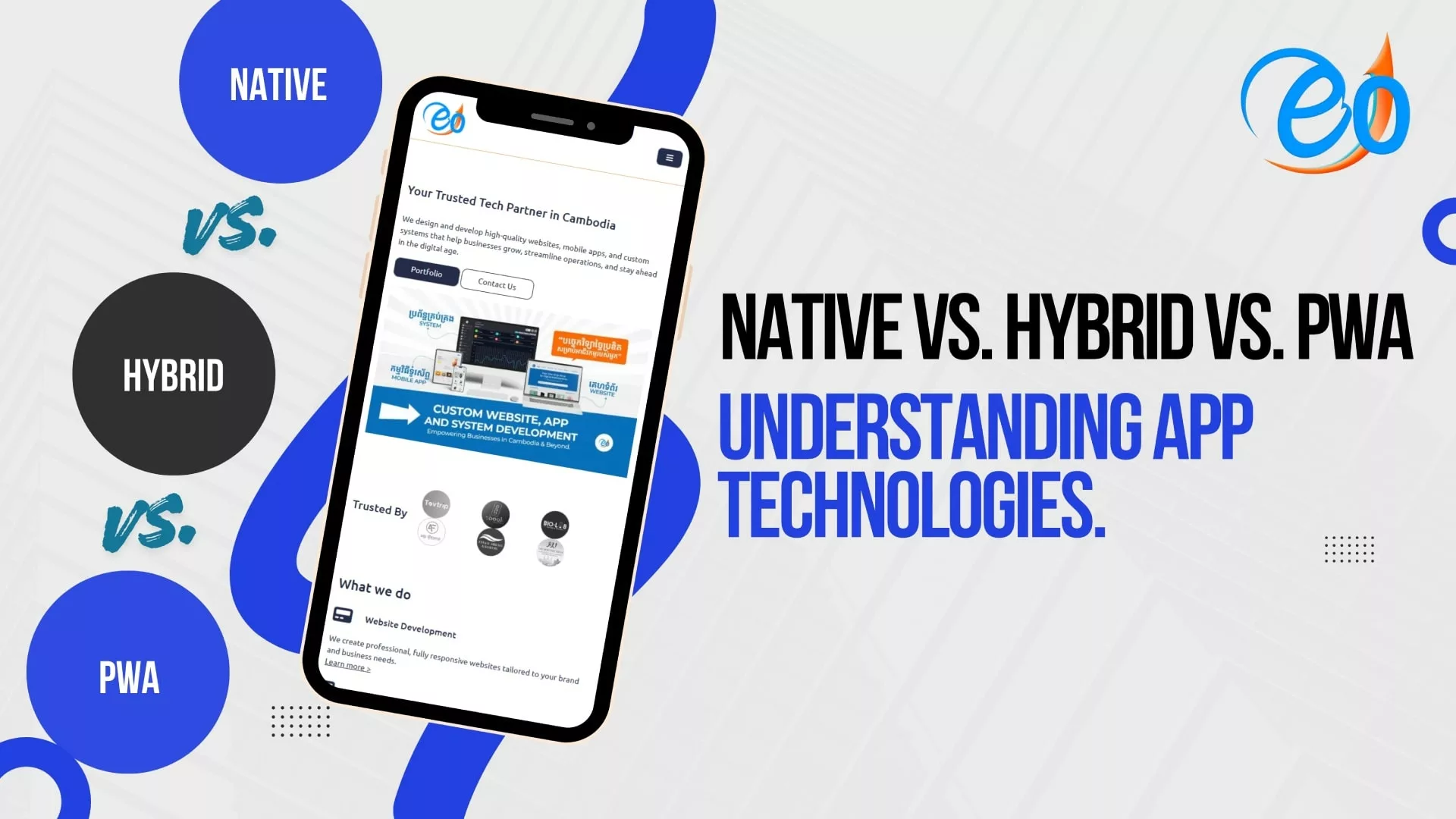

Native vs. Hybrid vs. PWA៖ ស្វែងយល់អំពីបច្ចេកវិទ្យានៃការបង្កើត App

នៅក្នុងបរិបទឌីជីថលបច្ចុប្បន្ន ការមានវត្តមាននៅលើទូរស័ព្ទដៃ (Mobile Presence) មិនមែនជាជម្រើសសម្រាប់តែភាពស៊ីវិល័យទៀតនោះទេ ប៉ុន្តែវាគឺជាភាពចាំបាច់ដែលមិនអាចខ្វះបាន។ ប៉ុន្តែ ប្រសិនបើអ្នកជាម្ចាស់អាជីវកម្ម ឬជាសហគ្រិនដែលកំពុងមានបំណងចង់បង្កើត App មួយ អ្នកនឹងជួបប្រទះនូវផ្លូវបំបែកដ៏គួរឱ្យស្រពិចស្រពិលមួយភ្លាមៗ៖ តើអ្នកគួរជ្រើសរើសបង្កើត Native App, Hybrid App ឬក៏ Progressive Web App (PWA)?

ប្រសិនបើពាក្យបច្ចេកទេសទាំងនេះស្តាប់ទៅហាក់ដូចជាពិបាកយល់សម្រាប់អ្នក ក៏សូមកុំបារម្ភអី។ អត្ថបទណែនាំនេះនឹងជួយបំបែកពាក្យបច្ចេកទេសនីមួយៗមកជាភាសាសាមញ្ញៗ ដើម្បីឱ្យអ្នកអាចសម្រេចចិត្ត ជ្រើសរើសដំណោះស្រាយដ៏ស័ក្តិសមបំផុតសម្រាប់គម្រោងរបស់អ្នក។

1. Native Apps៖ ជម្រើសសម្រាប់ “សមត្ថភាពខ្ពស់”

កម្មវិធី Native App ត្រូវបានបង្កើតឡើងយ៉ាងពិសេសសម្រាប់ប្រព័ន្ធប្រតិបត្តិការ (Operating System) តែមួយគត់។ ដូចគ្នានឹងឌុយបញ្ឆេះសម្រាប់រន្ធព្រីភ្លើងនៅចក្រភពអង់គ្លេស ដែលមិនអាចប្រើជាមួយរន្ធព្រីភ្លើងនៅសហរដ្ឋអាមេរិកបានដែរ កម្មវិធី Native របស់ Android គឺមិនអាចដំណើរការនៅលើ iPhone បានទេ។ អ្នកបង្កើតកម្មវិធី (Developers) ប្រើប្រាស់ភាសាកូដជាក់លាក់ (ដូចជា Swift សម្រាប់ iOS និង Kotlin សម្រាប់ Android) ដើម្បីបង្កើតពួកវា។

  • បទពិសោធន៍នៃការប្រើប្រាស់៖ ដោយសារតែកម្មវិធីទាំងនេះជាប្រភេទ “Native” សម្រាប់ទូរស័ព្ទស្រាប់ វាក៏មានល្បឿនលឿនបំផុត និងដំណើរការបានយ៉ាងរលូន។ ពួកវាមានសិទ្ធិចូលប្រើប្រាស់ពេញលេញទៅកាន់ផ្នែករឹង (Hardware) របស់ទូរស័ព្ទ ដូចជា កាមេរ៉ា, GPS និង FaceID ជាដើម។

  • ចំណុចខ្លាំង៖ វាផ្តល់នូវសមត្ថភាពការងារល្អបំផុត (Performance), ប្រព័ន្ធសុវត្ថិភាពខ្ពស់បំផុត និងផ្តល់នូវអារម្មណ៍ប្រើប្រាស់កម្រិត “Premium” ដែលអ្នកប្រើប្រាស់តែងតែរំពឹងទុក។

  • ចំណុចខ្សោយ៖ វាមានតម្លៃថ្លៃ និងចំណាយពេលច្រើន ពីព្រោះអ្នកត្រូវបង្ខំចិត្តបង្កើតកម្មវិធីនោះពីរដង (ម្តងសម្រាប់ Apple និងម្តងទៀតសម្រាប់ Google)។

2. Hybrid Apps: The “Middle Ground”

សូមស្រមៃថា កម្មវិធី Hybrid គឺជា គេហទ���ព័រ (Website) ដែលត្រូវបានដាក់បញ្ចូលទៅក្នុង “ប្រអប់” (Container) របស់កម្មវិធី Native។ វាត្រូវបានបង្កើតឡើងដោយប្រើប្រាស់បច្ចេកវិទ្យាវិប (ដូចជា HTML, CSS, និង JavaScript) ប៉ុន្តែវាត្រូវបាន “រៀបចំជាកញ្ចប់” តាមរបៀបដែលអាចឱ្យយើងទាញយកវាបានពី App Store ឬ Play Store ដូចកម្មវិធីទូទៅដែរ។

  • បទពិសោធន៍នៃការប្រើប្រាស់៖ ចំពោះអ្នកប្រើប្រាស់ទូទៅ កម្មវិធី Hybrid មើលទៅហាក់ដូចជាកម្មវិធី Native អញ្ចឹង។ ប៉ុន្តែ វាអាចនឹងមានអារម្មណ៍ថា “មិនសូវរលូនខ្លាំង (Less snappy)” នៅពេលមានចលនាស្មុគស្មាញ (Animations) ឬនៅពេលដំណើរការការងារធំៗ។

  • ចំណុចខ្លាំង៖ “សរសេរតែម្ដង ប្រើបានគ្រប់ទីកន្លែង”។ អ្នកបង្កើតកូដតែមួយកញ្ចប់គត់ (Codebase) ហើយវាអាចដំណើរការបានទាំងលើ iOS និង Android។ ចំណុចនេះជួយសន្សំសំចៃពេលវេលា និងថវិកាបានយ៉ាងច្រើន។

  • ចំណុចខ្សោយ៖ ប្រសិនបើកម្មវិធីនោះមានភាពស្មុគស្មាញខ្លាំង ល្បឿននៃដំណើរការ (Performance) អាចនឹងមានភាពយឺតយ៉ាវ (Lag) ហើយវាអាចទាមទារឱ្យមានការងារបន្ថែមទៀត ដើម្បីធ្វើឱ្យកម្មវិធីនោះមានអារម្មណ៍ថា “ដើររលូនតាមធម្មជាតិ” នៅលើទូរស័ព្ទទាំងពីរប្រភេទ។

3. Progressive Web Apps (PWA): The “Instant” Choice

PWA ជាមូលដ្ឋានគឺជាគេហទំព័រ (Website) ដែលដំណើរការដូចជាកម្មវិធីទូរស័ព្ទ (App)។ អ្នកមិនចាំបាច់ទាញយកវាពី App Store នោះទេ។ ផ្ទុយទៅវិញ នៅពេលអ្នកចូលទៅកាន់គេហទំព័រនោះតាមរយៈកម្មវិធី Browser លើទូរស័ព្ទ វានឹងសួរអ្នកថាតើអ្នកចង់ “បន្ថែមទៅកាន់អេក្រង់ដើម” (Add to Home Screen) ដែរឬទេ? នៅពេលបន្ថែមរួចរាល់ វានឹងបង្ហាញរូបតំណាង (Icon) នៅលើអេក្រង់ ដូចកម្មវិធីដទៃទៀតដែរ។

  • បទពិសោធន៍នៃការប្រើប្រាស់៖ PWA អាចដំណើរការបានទោះបីជាគ្មានអ៊ីនធឺណិត (Offline) ក៏ដោយ អាចផ្ញើសារដំណឹង (Push Notifications) និងមានល្បឿនផ្ទុកទិន្នន័យលឿនបំផុត។ ទោះជាយ៉ាងណាក៏ដោយ ពួកវាមិនអាចធ្វើអ្វីៗគ្រប់យ៉ាងបានដូចកម្មវិធី Native នោះទេ (ឧទាហរណ៍៖ ពួកវាមានកម្រិតក្នុងការប្រើប្រាស់មុខងារពិសេសៗមួយចំនួនរបស់ iPhone)

  • ចំណុចខ្លាំង៖ មិនចាំបាច់ឆ្លងកាត់ដំណើរការពិនិត្យអនុម័តពី App Store, ចំណាយលើការអភិវឌ្ឍទាបបំផុត ហើយអ្នកប្រើប្រាស់អាច “ដំឡើង” វាបានភ្លាមៗ ដោយមិនចាំបាច់រង់ចាំការទាញយក (Download) ឡើយ។

  • ចំណុចខ្សោយ៖ កម្មវិធីរបស់អ្នកនឹងមិនមានវត្តមាននៅក្នុងបញ្ជីនៃ Apple App Store ឬ Google Play Store ឡើយ ដែលវាអាចធ្វើឱ្យអតិថិជនថ្មីៗមានការពិបាកក្នុងការ “ស្វែងរក” ឬស្គាល់កម្មវិធីរបស់អ្នក។

ការប្រៀបធៀបសង្ខេប

លក្ខណៈពិសេស Native Hybrid PWA
ល្បឿន/ដំណើរការ ល្អឥតខ្ចោះ ល្អបង្គួរ លឿន
តម្លៃអភិវឌ្ឍន៍ ខ្ពស់ មធ្យម ទាប
វត្តមានក្នុង App Store មាន មាន មិនមាន
Offline Function មាន មាន មានកម្រិត


តើអ្នកគួរជ្រើសរើសយកមួយណា?

  • ជ្រើសរើសយក Native ប្រសិនបើអ្នកកំពុងបង្កើតហ្គេមដែលមានក្រាហ្វិកខ្ពស់ (High-end game), បណ្តាញសង្គមដែលមានមុខងារស្មុគស្មាញ (Complex social media platform), ឬកម្មវិធីដែលទាមទារឱ្យមានសុវត្ថិភាព និងល្បឿនជាអាទិភាពចម្បងបំផុត។

  • ជ្រើសរើសយក Hybrid ប្រសិនបើអ្នកចង់ឱ្យអ្នកប្រើប្រាស់ទាំង iPhone និង Android អាចប្រើប្រាស់កម្មវិធីរបស់អ្នកបានយ៉ាងឆាប់រហ័ស ក្នុងកញ្ចប់ថវិកាមួយដែលសមរម្យ។

  • ជ្រើសរើសយក PWA ប្រសិនបើអ្នកចង់បានឧបករណ៍មួយដែ��មានតម្លៃសមរម្យ ងាយស្រួលចូលប្រើប្រាស់សម្រាប់អតិថិជនរបស់អ្នក និងមិនចង់មានភាពស្មុគស្មាញជាមួយនឹងដំណើរការដាក់ក្នុង App Store។

តើអ្នកត្រៀមខ្លួនរួចរាល់ក្នុងការបង្កើតហើយឬនៅ?

ការសម្រេចចិត្តជ្រើសរើសបច្ចេកវិទ្យាដែលត្រឹមត្រូវ គឺជាជំហានដំបូងបង្អស់ឆ្ពោះទៅរកភាពជោគជ័យក្នុងពិភពឌីជីថល។ នៅ Eocambo យើងមានជំនាញច្បាស់លាស់ក្នុងការជួយដល់អាជីវកម្មនានា ក្នុងការសម្រេចចិត្តលើជម្រើសទាំងនេះ ដើម្បីស្វែងរកដំណោះស្រាយដែលស័ក្តិសមបំផុតសម្រាប់គោលដៅ និងកញ្ចប់ថវិការបស់អ្នក។

ប្រសិនបើអ្នកចង់ឃើញពីលទ្ធភាពដែលអាជីវកម្មរបស់អ្នកអាចសម្រេចបាន សូមកុំស្ទាក់ស្ទើរក្នុងការចូលទៅស្វែងយល់បន្ថែម our solutions ដើម្បីពិនិត្យមើលប្រភេទបច្ចេកវិទ្យាដែលយើងដាក់ឱ្យដំណើរការ។

តើអ្នកត្រៀមខ្លួនរួចរាល់ហើយឬនៅ ក្នុងការប្រែក្លាយគំនិតរបស់អ្នកឱ្យក្លាយជាការពិត? Contact us today សម្រាប់ការពិគ្រោះយោបល់ ហើយយើងនឹងរួមគ្នាបង្កើតអ្វីដែលអស្ចារ្យ។

ROI នៃការរចនា UI/UX ដ៏ល្អ

ក្នុងសេដ្ឋកិច្ចដែលផ្ដោតលើឌីជីថលនាពេលបច្ចុប្បន្ន ការរចនាគេហទំព័រ ឬកម្មវិធីទូរស័ព្ទ (App) របស់អ្នក មិនមែនគ្រាន់តែជារឿងសោភ័ណភាពនោះទេ ប៉ុន្តែវាគឺជាកត្តាជំរុញដ៏សំខាន់សម្រាប់ប្រសិទ្ធភាពអាជីវកម្ម។ ក្រុមហ៊ុនជាច្រើននៅតែយល់ថា User Interface (UI) និង User Experience (UX) គ្រាន់តែជា “ការតុបតែងចុងក្រោយ” នៅលើផលិតផលប៉ុណ្ណោះ ប៉ុន្តែទិន្នន័យបានបង្ហាញថា ការវិនិយោគជាយុទ្ធសាស្ត្រលើការរចនា ផ្តល់នូវផលចំណេញត្រឡប់មកវិញខ្ពស់បំផុតមួយនៅក្នុងពិភពបច្ចេកវិទ្យា។

នេះគឺជាការបកស្រាយលម្អិតអំពីផលចំណេញ (ROI) នៃការរចនា UI/UX ល្អ និងមូលហេតុដែលវាមានសារៈសំខាន់សម្រាប់អាជីវកម្មរបស់អ្នក៖

1. ច្បាប់នៃផលចំណេញ “១០០ ធៀបនឹង ១” (The “100-to-1” Return Rule)

យោងតាមការស្រាវជ្រាវរបស់ស្ថាប័ន Forrester រាល់ទឹកប្រាក់ $1 ដែលអ្នកវិនិយោគលើការរចនា UX នឹងទទួលបានផលចំណេញត្រឡប់មកវិញរហូតដល់ទៅ $100 ផលចំណេញ (ROI) ដ៏អស្ចារ្យរហូតដល់ 9,900% នេះ កើតចេញពីការពិតដែលថា ផលិតផលដែលមានការរចនាបានល្អជួយ

2. ការបង្កើនអត្រាសម្រេចគោលដៅយ៉ាងខ្លាំងក្លា

ចំណាប់អារម្មណ៍ដំបូងបង្អស់រហូតដល់ ៩៤% គឺពាក់ព័ន្ធនឹងការរចនា។ ប្រសិនបើផ្ទៃកម្មវិធីរបស់អ្នកមើលទៅរញ៉េរញ៉ៃ ឬបង្កឱ្យមានការភាន់ច្រឡំ អ្នកប្រើប្រាស់នឹងចាកចេញភ្លាមៗ សូម្បីតែមុនពេលពួកគេទាន់បានអានអំពីតម្លៃនៃសេវាកម្ម (Value Proposition) របស់អ្នកទៅទៀត។

  • ការរចនាផ្ទៃកម្មវិធី (UI)៖ ដែលមានប្រសិទ្ធភាព អាចធ្វើឱ្យអត្រាសម្រេចគោលដៅរបស់អ្នកកើនឡើង 200%។

  • ការបង្កើនប្រសិទ្ធភាព UX Impact: ការធ្វើឱ្យប្រសើរឡើងនូវបទពិសោធន៍អ្នកប្រើប្រាស់ជារួម (ទាំងមុខងារ និងអារម្មណ៍ពេលប្រើប្រាស់ផលិតផល) អាចបង្កើនអត្រាសម្រេចគោលដៅ បានរហូតដល់ 400%។

នៅពេលដែលអ្នកប្រើប្រាស់អាចស្វែងរកអ្វីដែលពួកគេត្រូវការដោយគ្មានភាពរអាក់រអួល ជំរុញឱ្យអតិថិជនបញ្ចប់ការបញ្ជាទិញ ឬចុះឈ្មោះប្រើប្រាស់សេវាកម្មរបស់អ្នក

3. ការកាត់បន្ថយ “ថ្លៃដើមដែលមិនពេញចិត្ត”

ការរចនាដែលមិនល្អ គឺជាការខ��តបង់ដ៏ធំ។ តាមការប៉ាន់ស្មាន អ្នកប្រើប្រាស់អនឡាញរហូតដល់ 88% នឹងមិនត្រឡប់មកកាន់គេហទំព័រវិញឡើយ ប្រសិនបើពួកគេជួបបទពិសោធន៍មិនល្អសូម្បីតែម្ដង។ លើសពីនេះទៅទៀត ដំណើរការយឺតយ៉ាវ (ដែលជារឿយៗបណ្តាលមកពីការរៀបចំ UX បច្ចេកទេសមិនបានល្អ) បានធ្វើឱ្យបាត់បង់ចំណូលរាប់ពាន់លានដុល្លារជារៀងរាល់ឆ្នាំ។ តាមរយៈការវិនិយោគលើ UI/UX តាំងពីដំណាក់កាលដំបូង អ្នកនឹងអាចជៀសវាងនូវ៖

  • ការកែសម្រួលកូដឡើងវិញ៖ ការកែប្រែកំហុសនៃការប្រើប្រាស់ (Usability error) បន្ទាប់ពីសរសេរកូដរួចរាល់ មានតម្លៃថ្លៃជាងការកែប្រែក្នុងដំណាក់កាលរចនា (Design phase) រហូតដល់ទៅ ១០០ ដង។

  • ការកាត់បន្ថយបន្ទុកលើផ្នែកគាំទ្រអតិថិជន៖ ការរចនាដែលងាយយល់ និងមានលក្ខណៈធម្មជាតិ (Intuitive design) នឹងឆ្លើយរាល់ចម្ងល់របស់អ្នកប្រើប្រាស់ជាមុន ជាជាងរង់ចាំឱ្យពួកគេសួរ ដែលជួយកាត់បន្ថយចំនួនសំណើដោះស្រាយបញ្ហា (Support tickets) បានយ៉ាងច្រើន។

4. ការទទួលបានឧត្តមភាពក្នុងការប្រកួតប្រជែង

ក្រុមហ៊ុន McKinsey & Company បានរកឃើញថា ក្រុមហ៊ុនដែលផ្ដោតសំខាន់លើការរចនា អាចបង្កើនប្រាក់ចំណូល ជូនម្ចាស់ភាគហ៊ុន បានលឿនជាងក្រុមហ៊ុនគូប្រជែងក្នុងវិស័យជាមួយគ្នាជិត 2 ដង។ នៅក្នុងទីផ្សារដែលមានការប្រកួតប្រជែងខ្លាំង “ភាពងាយស្រួលក្នុងការប្រើប្រាស់” នឹងក្លាយជាចំណុចខុសប្លែកដ៏ខ្លាំងក្លាបំផុតរបស់អ្នក។ អតិថិជននាពេលបច្ចុប្បន្ន មិនមែនគ្រាន់តែទិញផលិតផលនោះទេ ប៉ុន្តែពួកគេទិញ “បទពិសោធន៍” នៃការប្រើប្រាស់ផលិតផលនោះ។

តើអ្នកត្រៀមខ្លួនរួចរាល់ហើយឬនៅ ក្នុងការបង្កើនប្រសិទ្ធភាពនៃបទពិសោធន៍ឌីជីថលរបស់អ្នក?

នៅ eOcambo Technology យើងមានជំនាញច្បាស់លាស់ក្នុងការបង្កើតគេហទំព័រ និងកម្មវិធីទូរស័ព្ទដៃដែលមានប្រសិទ្ធភាពខ្ពស់ ដែលមិនត្រឹមតែមានរូបរាងស្រស់ស្អាតប៉ុណ្ណោះទេ ប៉ុន្តែថែមទាំងផ្តល់នូវលទ្ធផលពិតប្រាកដទៀតផង។ ក្រុមការងាររបស់យើងបានបញ្ជូលគ្នានូវជំនាញក្នុងស្រុក ជាមួយនឹងស្តង់ដាររចនាកម្រិតសកល ដើម្បីធានាថាផលិតផលឌីជីថលរបស់អ្នកនឹងផ្តល់នូវបទពិសោធន៍ដ៏រលូនសម្រាប់អ្នកប្រើប្រាស់ និងនាំមកនូវផលចំណេញត្រឡប់មកវិញ (ROI) យ៉ាងពិតប្រាកដសម្រាប់អាជីវកម្មរបស់អ្នក។

មិនថាអ្នកចង់ធ្វើបច្ចុប្បន្នភាពលើប្រព័ន្ធដែលមានស្រាប់ ឬចង់ចាប់ផ្ដើមបង្កើតថ្មីតាំងពីដំបូងឡើយ យើងខ្ញុំត្រៀមខ្លួនជាស្រេចដើម្បីជួយអ្នក។

Contact Us Today to Start Your Design Journey

តម្លៃដែលលាក់កំបាំងនៃសេវាកម្ម Hosting និងការថែទាំ “តម្លៃថោក”

ក្នុងវិស័យធុរកិច្ច យើងត្រូវបានគេបង្រៀនឱ្យរក្សាចំណាយប្រតិបត្តិការ (Overhead) ឱ្យនៅកម្រិតទាបបំផុត។ នៅពេលពិនិត្យមើលបញ្ជីចំណាយលើសេវាកម្ម Hosting សម្រាប់គេហទំព័រ ភាពខុសគ្នារវាងកញ្ចប់តម្លៃ ៥ ដុល្លារ/ខែ និងសេវាកម្មគ្រប់គ្រងដែលមានតម្លៃ ៥០ ដុល្លារ/ខែ មើលទៅហាក់ដូចជាកន្លែងដែលងាយស្រួលបំផុតក្នុងការកាត់បន្ថយចំណាយ។

ប៉ុន្តែ គេហទំព័ររបស់អ្នកមិនមែនត្រឹមតែជាខិត្តប័ណ្ណឌីជីថលសម្រាប់ផ្សព្វផ្សាយប៉ុណ្ណោះទេ វាក៏ជាហាងទំនិញ ជាអ្នកលក់ដែលធ្វើការ ២៤ ម៉ោងលើ ២៤ ម៉ោង និងជាចំណាប់អារម្មណ៍ដំបូងបង្អស់ដែលអតិថិជនមានចំពោះម៉ាកសញ្ញារបស់អ្នក។ នៅពេលអ្នកព្យាយាមកាត់បន្ថយចំណាយលើគ្រឹះស្ថាននៃហាងទំនិញនេះ អ្នកមិនមែនត្រឹមតែសន្សំលុយបន្តិចបន្តួចនោះទេ ប៉ុន្តែអ្នកកំពុងតែទទួលយកនូវហានិភ័យដែលអាចនឹងធ្វើឱ្យអ្នកខាតបង់រាប់ពាន់ដុល្លារនៅថ្ងៃខាងមុខ។

នេះគឺជា “វិក្កយបត្រលាក់មុខ” ដែលអ្នកត្រូវបង់ នៅពេលអ្នកជ្រើសរើសយកសេវាកម្ម Hosting តម្លៃថោក និងការធ្វេសប្រហែសលើការថែទាំ៖

1. ផលប៉ះពាល់ពី “គេហទំព័រអ្នកដទៃ” (ផ្នែកល្បឿន និងប្រសិទ្ធភាព)

កញ្ចប់សេវាកម្ម Hosting តម្លៃថោកភាគច្រើន គឺជាប្រភេទ Shared Hosting (ការប្រើប្រាស់ម៉ាស៊ីនរួមគ្នា)។ នេះមានន័យថា គេហទំព័ររបស់អ្នកត្រូវបានដាក់បញ្ចូលគ្នាយ៉ាងណែនណាន់តាន់តាប់នៅលើម៉ាស៊ីន Server តែមួយ ជាមួយនឹងគេហទំព័ររាប់ពាន់ផ្សេងទៀត។

  • បញ្ហានោះគឺ៖ ប្រសិនបើ គេហទំព័រដទៃ ដែលប្រើប្រាស់ Server រួមជាមួយអ្នក មានការកើនឡើងនៃចំនួនអ្នកចូលមើលយ៉ាងគំហុក ឬឆ្លងម���រោគ (Malware) វានឹងធ្វើឱ្យគេហទំព័ររបស់អ្នកដើរយឺតខ្លាំង ឬអាចគាំងទាំងស្រុងតែម្តង។

  • ការខាតបង់ដែលមើលមិនឃើញ៖ យោងតាមទិន្នន័យពី Google អ្នកប្រើប្រាស់ទូរស័ព្ទដៃប្រមាណ 53% នឹងចាកចេញពីគេហទំព័រភ្លាមៗ ប្រសិនបើវាចំណាយពេលលើសពី ៣ វិនាទីដើម្បីដំណើរការ (Load)។ ប្រសិនបើសេវាកម្ម Hosting «តម្លៃថោក» របស់អ្នក ធ្វើឱ្យវេបសាយដើរយឺតជាងមុនត្រឹមតែ ២ វិនាទីប៉ុណ្ណោះ នោះអ្នកអាចនឹងបាត់បង់អតិថិជនសក្ដានុពលអស់ពាក់កណ្តាលទៅហើយ សូម្បីតែមុនពេលពួកគេបានឃើញឡូហ្គោក្រុមហ៊ុនរបស់អ្នកផង។

2. ការធ្លាក់ចុះចំណាត់ថ្នាក់ SEO

ម៉ាស៊ីនស្វែងរក (Search engines) ដូចជា Google ជាដើម តែងតែផ្តល់អាទិភាពខ្ពស់ទៅលើបទពិសោធន៍របស់អ្នកប្រើប្រាស់។ ពួកគេបានប្រកាសជាសាធារណៈថា ល្បឿននៃគេហទំព័រ (Page Speed) និងស្ថិរភាពនៃដំណើរការ (Uptime) គឺជាកត្តាសំខាន់ក្នុងការកំណត់ចំណាត់ថ្នាក់ស្វែងរក។

  • បញ្ហានោះគឺ៖ សេវាកម្ម Hosting តម្លៃថោក ជាញឹកញាប់តែងតែជួបប្រទះនូវបញ្ហា «ការដាច់ដំណើរការរយៈពេលខ្លី» (Micro-downtimes)។ ប្រសិនបើប្រព័ន្ធស្វែងរកទិន្នន័យរបស់ Google (Google’s crawlers) ព្យាយាមចូលមកកាន់គេហទំព័ររបស់អ្នក ក្នុងអំឡុងពេលដែលវាដាច់ ឬដើរយឺតខ្លាំង ពួកគេនឹងវាយតម្លៃគេហទំព័ររបស់អ្នកថាជាគេហទំព័រដែល «មិនគួរឱ្យទុកចិត្ត»។

  • ការខាតបង់ដែលមើលមិនឃើញ៖ អ្នកអាចចំណាយប្រាក់រាប់ពាន់ដុល្លារទៅលើការផលិតមាតិកា SEO ប៉ុន្តែប្រសិនបើសេវាកម្ម Hosting របស់អ្នកយឺត អ្នកនឹងមិនអាចឡើងទៅដល់ទំព័រទីមួយនៃលទ្ធផលស្វែងរកឡើយ។ ការខាតបង់ក្នុងចំណុចនេះ គឺការបាត់បង់ «ចរាចរណ៍អ្នកចូលមើលដោយធម្មជាតិ» (Organic traffic) ដែលបង្ខំឱ្យអ្នកត្រូវចំណាយប្រាក់យ៉ាងច្រើនលើការទិញផ្ទាំងពាណិជ្ជកម្ម (Paid ads) ដើម្បីមកជំនួសវិញ។

3. The “Swiss Cheese” Security Model

សន្តិសុខបច្ចេកវិទ្យា មិនមែនជាការងារប្រភេទ «រៀបចំម្តង ហើយទុកវាចោល» នោះឡើយ។ ការថែទាំក្នុងតម្លៃថោក (ឬការមិនខ្វល់ខ្វាយពីការថែទាំទាល់តែសោះ) មានន័យថា កម្មវិធីជំនួយ (Plugins) ផ្ទាំងរចនា (Themes) និងកម្មវិធីគ្រប់គ្រង Server របស់អ្នក គឺកម្រនឹងត្រូវបានធ្វើបច្ចុប្បន្នភាព (Update) ណាស់។

  • បញ្ហានោះគឺ៖ ការប្រើប្រាស់កម្មវិធីដែលហួសសម័យ (Outdated software) គឺជាផ្លូវលេខមួយដែល Hacker ប្រើដើម្បីលួចចូលទៅក្នុងគេហទំព័រ។ សេវាកម្ម Hosting តម្លៃថោក កម្រនឹងមានការផ្ដល់ជូននូវការស្កេនរកមេរោគ (Malware scanning) ជាមុន ឬសេវាកម្ម «សម្អាតមេរោគ» ឱ្យអ្នកណាស់។

  • ការខាតបង់ដែលមើលមិនឃើញ៖ ប្រសិនបើគេហទំព័ររបស់អ្នកត្រូវបាន Hacker វាយប្រហារ ការជួលអ្នកជំនាញមកសម្អាត និងរៀបចំឡើងវិញអាចមានតម្លៃចាប់ពី ៥០០ ដុល្លារ រហូតដល់លើសពី ២,៥០០ ដុល្លារ។ នោះមិនទាន់រាប់បញ្ចូលនូវ «ពន្ធលើកេរ្តិ៍ឈ្មោះ» (Reputation tax) នៅពេលដែល Google បង្ហាញសារព្រមានថា «គេហទំព័រនេះអាចត្រូវបានគេលួចចូល (Hacked)» នោះឈ្មោះអាជីវកម្មរបស់អ្នក ក្នុងលទ្ធផលស្វែងរកនោះឡើយ។

4. The “Ghost” Support Team

នៅពេលដែលគេហទំព័ររបស់អ្នកគាំង ឬដាច់ដំណើរការក្នុងអំឡុងពេលកំពុងផ្សព្វផ្សាយពាណិជ្ជកម្មធំៗ ឬចំពេលដែលមានអ្នកចូលមើលច្រើននៅព្រឹកថ្ងៃច័ន្ទ អ្នកពិតជាត្រូវការអ្នកបច្ចេកទេសផ្ទាល់ (ដែលជាមនុស្សពិតប្រាកដ) ដើម្បីដោះស្រាយបញ្ហានោះឱ្យបានឆាប់រហ័សបំផុត។

  • បញ្ហានោះគឺ៖ ក្រុមហ៊ុនផ្ដល់សេវាកម្មតម្លៃថោក រក្សាប្រាក់ចំណេញរបស់ពួកគេបាន ក៏ដោយសារតែពួកគេជួលបុគ្គលិកក្រៅ (Outsource) ទៅឱ្យមជ្ឈមណ្ឌលឆ្លើយឆ្លងទូរស័ព្ទដ៏ធំធេង ឬពឹងផ្អែកលើប្រព័ន្ធផ្ញើស���រ (Ticket system) ដ៏យឺតយ៉ាវ។ អ្នកប្រហែលជាត្រូវរង់ចាំពី ២៤ ទៅ ៤៨ ម៉ោង ដើម្បីទទួលបានការឆ្លើយតបមកវិញយ៉ាងខ្លីថា៖ ” វាជាបញ្ហាកម្មវិធីជំនួយ (Plugin) របស់អ្នកទេ វាមិនមែនជាបញ្ហារបស់យើងឡើយ”​ ។

  • ការខាតបង់ដែលមើលមិនឃើញ៖ ការបាត់បង់ចំណូល ប្រសិនបើគេហទំព័ររបស់អ្នកគាំងរយៈពេល ២ ថ្ងៃ ហើយជាធម្មតាអ្នកអាចរកចំណូល ឬទាក់ទាញអតិថិជនបាន ៥០០ ដុល្លារក្នុងមួយថ្ងៃ នោះមានន័យថា សេវាកម្ម Hosting «តម្លៃថោក» នោះ ទើបតែបានធ្វើឱ្យអ្នកខាតបង់ទឹកប្រាក់អស់ ១,០០០ ដុល្លារ បាត់ទៅហើយ ក្នុងរយៈពេលត្រឹមតែ ៤៨ ម៉ោងប៉ុណ្ណោះ។

5. The “Nickel and Dime” Trap

ក្រុមហ៊ុន Hosting តម្លៃថោក ជារឿយៗតែងតែទាក់ទាញអ្នកជាមួយនឹងតម្លៃត្រឹមតែ ២,៩៩ ដុល្លារក្នុងមួយខែ ប៉ុន្តែតម្លៃនេះគ្រាន់តែជាសំបកក្រៅតែប៉ុណ្ណោះ។

  • បញ្ហានោះគឺ៖ មុខងារចាំបាច់នានា ដូចជា វិញ្ញាបនបត្រសុវត្ថិភាព SSL (រូបតំណាងសោជាប់), ការចម្លងទិន្នន័យទុកប្រចាំថ្ងៃ (Daily backups) និងអ៊ីមែលអាជីវកម្ម (Professional email) ជាដើម ច្រើនតែជា «សេវាកម្មបន្ថែម» ដែលធ្វើឱ្យវិក្កយបត្ររបស់អ្នកកើនឡើងទ្វេដង ឬបីដងពីលើតម្លៃដើម។

  • ការខាតបង់ដែលមើលមិនឃើញ៖ នៅពេលអ្នកបូកបញ្ចូលនូវសេវាកម្មចាំបាច់បន្ថែមនានា កញ្ចប់សេវាកម្ម «តម្លៃសមរម្យ» ច្រើនតែមានតម្លៃសរុបប្រហាក់ប្រហែលនឹងសេវាកម្មគ្រប់គ្រងកម្រិតខ្ពស់ (Premium managed service) ទៅហើយ ប៉ុន្តែអ្នកបែរជាមិនទទួលបានអត្ថប្រយោជន៍ផ្នែកល្បឿន និងប្រសិទ្ធភាពការងារទាល់តែសោះ។

សេចក្តីសន្និដ្ឋាន៖ គុណតម្លៃសំខាន់ជាងតម្លៃ

ការវិនិយោគលើសេវាកម្ម Managed Hosting និងការថែទាំ គឺប្រៀបដូចជាការជួល ភ្នាក់ងារសន្តិសុខ ជាងជួសជុល និងអ្នកបម្រើអតិថិជនផ្ទាល់ខ្លួន សម្រាប់ហាង���ំនិញឌីជីថលរបស់អ្នកអញ្ចឹង។ អ្នកមិនមែនគ្រាន់តែចំណាយលុយដើម្បី ‘ជួលកន្លែងដាក់ទិន្នន័យលើ Server’ នោះទេ ប៉ុន្តែអ្វីដែលអ្នកកំពុងទិញពិតប្រាកដនោះគឺ៖

  • ល្បឿន៖ ជួយទាក់ទាញចិត្តអតិថិជន ឱ្យចង់បន្តមើលគេហទំព័ររបស់អ្នក។

  • សុវត្ថិភាព៖ ការពារទិន្នន័យអាជីវកម្មរបស់អ្នក និងព័ត៌មានឯកជនរបស់អតិថិជន។

  • ស្ថិរភាព៖ ធានាថាអ្នកមិនបាត់បង់ឱកាសក្នុងការទទួលបានអតិថិជនថ្មីៗ។

  • សន្តិភាពផ្លូវចិត្ត៖ ផ្តល់ទំនុកចិត្តដល់អ្នកថា ប្រសិនបើមានបញ្ហាអ្វីកើតឡើង នឹងមានអ្នកជំនាញកំពុងដោះស្រាយវាជូនអ្នកជាស្រេច។

តើគេហទំព័ររបស់អ្នកគឺជា ‘ទ្រព្យសម្បត្តិ’ ឬជា ‘បន្ទុក’? ប្រសិនបើអ្នកនៅតែបន្តប្រើប្រាស់កញ្ចប់សេវាកម្ម “តម្លៃថោកហួសហេតុ” វាប្រហែលជាដល់ពេលដែលអ្នកត្រូវពិនិត្យមើលឱ្យច្បាស់ថា តើវាបានធ្វើឱ្យអ្នកខាតបង់អ្វីខ្លះពិតប្រាកដហើយ។

សន្តិសុខទិន្នន័យ៖ តើប្រព័ន្ធផ្នែកខាងក្នុងរបស់អ្នកងាយរងគ្រោះនឹងមានការលួចចូល (Breach) ដែរឬទេ?

នៅក្នុងសេដ្ឋកិច្ចសម័យឌីជីថលនាពេលបច្ចុប្បន្ន ទិន្នន័យគឺជា ‘សរសៃឈាមរស់’ នៃគ្រប់អាជីវកម្មទាំងអស់។ ទោះជាអ្នកកំពុងគ្រប់គ្រងខ្សែសង្វាក់ផ្គត់ផ្គង់តាមរយៈប្រព័ន្ធ ERP ឬដំណើរការប្រតិបត្តិការទិញលក់ជាមួយអតិថិជននៅលើវេទិកា E-commerce ក៏ដោយ ប្រព័ន្ធផ្ទៃក្នុងរបស់អ្នកគឺជាឃ្លាំងផ្ទុកនូវព័ត៌មានដ៏មានតម្លៃ និងរសើបបំផុត។

ទោះជាយ៉ាងណាក៏ដោយ អាជីវកម្មជាច្រើនកំពុងប្រតិបត្តិការទាំងមានការភាន់ច្រឡំលើបញ្ហាសុវត្ថិភាព ដោយជឿថាប្រតិបត្តិការ ‘ខ្នាតតូច’ ឬប្រព័ន្ធដែលប្រើប្រាស់ ‘ត្រឹមតែផ្ទៃក្នុង’ នឹងមិនស្ថិតក្នុងគោលដៅរបស់ក្រុមឧក្រិដ្ឋជនបច្ចេកវិទ្យានោះឡើយ។ ប៉ុន្តែការពិតគឺផ្ទុយស្រឡះ៖ ចន្លោះប្រហោងនៃប្រព័ន្ធផ្ទៃក្នុង ច្រើនតែជាច្រកចូលដែលងាយស្រួលបំផុតសម្រាប់ការជ្រៀតដែលនាំមកនូវផលវិបាកដ៏ធ្ងន់ធ្ងរ។

ហានិភ័យដែលលាក់កំបាំងនៅក្នុងហេដ្ឋារចនាសម្ព័ន្ធផ្ទៃក្នុងរបស់អ្នក

ការជ្រៀតចូលលួចទិន្នន័យ មិនមែនតែងតែជាការ លួចចូល (Hack) តាមបែបបច្ចេកវិទ្យាខ្ពស់ ដូចដែលអ្នកបានឃើញនៅក្នុងខ្សែភាពយន្តនោះទេ។ ជាញឹកញាប់ វាគឺជាលទ្ធផលនៃចំណុចខ្សោយនៃរចនាសម្ព័ន្ធ (Structural weaknesses) នៅក្នុងកម្មវិធីអាជីវកម្មរបស់អ្នកតែម្តង។

  • ចន្លោះប្រហោងនៃប្រព័ន្ធចាស់ៗ៖ ប្រព័ន្ធចាស់ៗដែលត្រូវបានតភ្ជាប់គ្នាបណ្ដោះអាសន្ន ច្រើនតែខ្វះខាតស្តង់ដារកូដនីយកម្ម (Encryption) ដើម្បីទប់ទល់នឹងការគំរាមកំហែងសម័យទំនើប។

  • ការគ្រប់គ្រងសិទ្ធិចូលប្រើប្រាស់ខ្សោយ៖ ប្រសិនបើបុគ្គលិកគ្រប់រូបមានសិទ្ធិជាអ្នកគ្រប់គ្រង (Administrative Access) ទៅលើមូលដ្ឋានទិន្នន័យទាំងមូល នោះការធ្លាយពាក្យសម្ងាត់តែមួយ ក៏អាចធ្វើឱ្យក្រុមហ៊ុនទាំងមូលដួលរលំបានដែរ។

  • ការតភ្ជាប់ API ដែលខ្វះសុវត្ថិភាព: នៅពេលដែលគេហទំព័រ ឬកម្មវិធីរបស់អ្នកធ្វើការទំនាក់ទំនងជាមួយមូលដ្ឋានទិន្នន័យផ្ទៃក្នុង ស្ពានចម្លងទិន្នន័យ (API) នោះគឺជាគោលដៅចម្បងនៃការវាយប្រហារ ប្រសិនបើវាមិនត្រូវបានការពារឱ្យបានត្រឹមត្រូវទេនោះ។

Custom vs. Off-the-Shelf: តើមួយណាមានសុវត្ថិភាពជាង?

អាជីវកម្មជាច្រើនចាប់ផ្ដើមដោយប្រើប្រាស់កម្មវិធីទូទៅ (Generic Software) ដែលត្រូវបានរចនាឡើងសម្រាប់ប្រើបានគ្រប់គ្នា។ ទោះបីជាវាមានភាពងាយស្រួល ប៉ុន្តែប្រព័ន្ធទាំងនេះប្រៀបដូចជា ‘សៀវភៅដែលចំហរ’ សម្រាប់ក្រុម Hacker ព្រោះពួកគេអាចសិក្សាពីកូដជាសាធារណៈ (Public source code) ដើម្បីស្វែងរកច្រកទ្វារសម្ងាត់ (Backdoors) ដែលអាចវាយប្រហារចូលគ្រប់ប្រព័ន្ធទាំងអស់ដែលប្រើប្រាស់កម្មវិធីនោះ។

នេះគឺជាចំណុចដែលដំណោះស្រាយតាមតម្រូវការ (Custom Solutions) ផ្តល់នូវអត្ថប្រយោជន៍ដ៏លេចធ្លោបំផុត។ តាមរយៈការបង្កើតប្រព័ន្ធដែលរចនាឡើងយ៉ាងពិសេសសម្រាប់លំហូរការងាររបស់អ្នក អ្នកអាចដាក់បញ្ចូលនូវស្រទាប់សុវត្ថិភាពផ្តា��់មុខ និងគោលការណ៍ ‘សុវត្ថិភាពតាំងពីដំណាក់កាលរចនា’ (Security by Design)។ នៅ eOcambo Technology យើងមានជំនាញច្បាស់លាស់ក្នុងការបង្កើតប្រព័ន្ធដែលមានសុវត្ថិភាព និងអាចពង្រីកវិសាលភាពបាន ចាប់ពីប្រព័ន្ធ ERP តាមតម្រូវការ រហូតដល់ម៉ាស៊ីន E-commerce ដែលមានសមត្ថភាពខ្ពស់ ដែលត្រូវបានរចនាឡើងដើម្បីរក្សាទិន្នន័យរបស់អ្នកឱ្យស្ថិតក្រោមការការពារយ៉ាងតឹងរ៉ឹងបំផុត។

ស្វែងយល់ពីដំណោះស្រាយបច្ចេកវិទ្យាអាជីវកម្ម ប្រកបដោយសុវត្ថិភាពខ្ពស់របស់យើង: Explore Our Solutions

របៀបវាយតម្លៃថា តើអាជីវកម្មរបស់អ្នកកំពុងស្ថិតក្នុងហានិភ័យមែនដែរឬទេ?

សាកសួរសំណួរទាំង ៣ នេះទៅកាន់ខ្លួនអ្នក៖

  1. តើទិន្នន័យរបស់អ្នកត្រូវបានបំប្លែងជាកូដសម្ងាត់ (Encrypted) ទាំងក្នុងពេលរក្សាទុក (At rest) និងក្នុងពេលបញ្ជូន (In transit) ហើយឬនៅ? ប្រសិនបើមាន Hacker លួចស្ទាក់ចាប់យកទិន្នន័យរបស់អ្នក តើពួកគេអាចអានវាជាអក្សរធម្មតា (Plain text) បានដែរឬទេ?

  2. តើអ្នកបាន ពិនិត្យសុខភាពប្រព័ន្ធ និងវាយតម្លៃសុវត្ថិភាព លើកចុងក្រោយនៅពេលណា? ក្នុងពិភពឌីជីថលដែលប្រែប្រួលលឿន អាជីវកម្មរបស់អ្នកត្រូវការការតាមដានជាប្រចាំ ដើម្បីបង្កើនរបាំងការពារឱ្យឈានមុខគេជានិច្ច ចំពោះមុខការគំរាមកំហែងថ្មីៗ។

  3. តើកម្មវិធីទូរស័ព្ទ និងគេហទំព័រ របស់អ្នក ត្រូវបានតភ្ជាប់គ្នាដោយសុវត្ថិភាពហើយឬនៅ? ចន្លោះប្រហោងតែមួយនៅក្នុងកម្មវិធីទូរស័ព្ទរបស់អ្នក អាចក្លាយជាច្រកផ្លូវនាំទៅកាន់ម៉ាស៊ីនមេ (Internal Server) ផ្ទៃក្នុងរបស់ក្រុមហ៊ុនអ្នកដោយត្រង់។

យើងបានជួយអតិថិជនជាច្រើន ក្នុងការផ្លាស់ប្តូរពីប្រព័ន្ធដែលងាយរងគ្រោះ ហើយនៅដាច់ដោយឡែកពីគ្នា មកកាន់ប្រព័ន្ធអេកូឡូស៊ី (Ecosystems) ដែលរឹងមាំ និងមានសមាហរណកម្មខ្ពស់ ដោយផ្តល់អាទិភាពបំផុតលើសុវត្ថិភាព និងភាពត្រឹមត្រូវនៃទិន្នន័យ។ អ្នកអាចពិនិត្យមើលពីរបៀបដែលយើងបានបង្កើតហេដ្ឋារចនាសម្ព័ន្ធប្រកបដោយសុវត្ថិភាពទាំងនេះ តាមរយៈស្នាដៃដែលយើងសម្រេចបានកន្លងមក។

ចូលទៅពិនិត្យមើលគម្រោងជោគជ័យជាក់ស្តែងរបស់យើង: View Our Portfolios

ការការពារជាមុន៖ វិធានការការពារដ៏ល្អបំផុត

សុវត្ថិភាពទិន្នន័យ មិនមែនជាកិច្ចការដែល “ធ្វើម្តងហើយចប់” នោះទេ។ វាទាមទារឱ្យមានដៃគូសហការដែលយល់ច្បាស់ពីតុល្យភាពរវាង មុខងារប្រើប្រាស់ និង សុវត្ថិភាព។ មិនថាអ្នកត្រូវការប្រព័ន្ធ ERP ដែលរចនាឡើងជាពិសេសពីចំណុចចាប់ផ្តើម ឬកម្មវិធីទូរស័ព្ទដែលមានសុវត្ថិភាពខ្ពស់សម្រាប់អតិថិជនរបស់អ្នកនោះទេ ការធានាថាប្រព័ន្ធផ្ទៃក្នុងរបស់អ្នកមានភាពរឹងមាំ និងគ្មានចន្លោះប្រហោង គឺជាការវិនិយោគដ៏សំខាន់បំផុតដែលអ្នកត្រូវធ្វើនៅក្នុងឆ្នាំនេះ។

កុំរង់ចាំរហូតដល់ឃើញសារដំណឹង “ប្រព័ន្ធឈប់ដំណើរការ” (System Offline) ទើបភ្ញាក់ខ្លួនថាប្រព័ន្ធរបស់អ្នកមានចន្លោះប្រហោង។ ចាប់ផ្តើមការពារអនាគតនៃអាជីវកម្មរបស់អ្នក ចាប់ពីថ្ងៃនេះតទៅ។

ពីការប្រើប្រាស់តារាង Spreadsheets មកជាការប្រើប្រាស់ប្រព័ន្ធ Software៖ តើពេលណាដែលលោកអ្នកគួរធ្វើស្វ័យប្រវត្តិកម្មលើប្រតិបត្តិការអាជីវកម្ម?

Every great business starts somewhere, and usually, that “somewhere” is a spreadsheet.

Spreadsheets are the Swiss Army knives of early-stage business. They are accessible, affordable, and infinitely flexible. You use them to track inventory, manage customer lists, calculate payroll, and forecast sales. When you have five employees and fifty customers, a well-organized Google Sheet or Excel file is all the “system” you need.

But as your business grows, the very tools that once helped you organize can start to hold you back. What used to take minutes now takes hours. Data starts slipping through the cracks. You realize you aren’t managing your business anymore; you are managing spreadsheets.

The transition from manual processes to automated software is one of the most critical inflection points in a company’s lifecycle. The biggest challenge isn’t the technology itself; it’s knowing when to make the leap.

Here is how to recognize the signs that your operations have outgrown spreadsheets and are ready for dedicated software.

The Hidden Costs of the “Spreadsheet Status Quo”

Before looking at the signs of change, it’s important to understand why relying on spreadsheets indefinitely is dangerous.

While they seem “free,” spreadsheets carry hidden costs as you scale:

  • Human Error: A misplaced decimal point or an overwritten formula can lead to disastrous financial mistakes that go unnoticed until it’s too late.

  • Version Chaos: “Who has the latest version of the Q3 forecast? Is it ‘Final_V3.xlsx’ or ‘REALLY_FINAL_V4.xlsx’?”

  • Information Silos: Your sales team’s spreadsheet doesn’t talk to your warehouse’s spreadsheet. The result is disjointed data and missed opportunities.

  • Lack of Real-Time Visibility: If you need to wait until the end of the month to know if you are profitable, you cannot make agile business decisions today.

5 Red Flags That It’s Time to Automate

Moving to a dedicated operational system—often called Enterprise Resource Planning (ERP)—is a significant step. You shouldn’t do it prematurely, but waiting too long stymies growth.

If you recognize any of these five scenarios in your daily operations, it is time to consider automation.

1. Your Team Spends More Time Importing Data Than Analyzing It

The 80/20 rule should apply to your data: 20% of your time gathering it, and 80% using it to make decisions.

If your key personnel are spending hours every week copy-pasting data from one sheet to another, reformatting CSV files, or manually entering invoices into an accounting system, you are wasting valuable human resources. Automation handles the repetitive data entry, freeing your team to do the high-value thinking you hired them for.

2. You Are Experiencing “Growing Pains” Errors

When volume increases, manual processes break. Perhaps you oversold products because inventory counts weren’t updated in real-time. Maybe a customer was billed incorrectly because two departments were looking at different pricing sheets.

When errors start happening not because of incompetence, but because the sheer volume of work is overwhelming your manual checks and balances, you need a system that enforces accuracy automatically.

3. You Cannot Answer Simple Questions Instantly

Imagine an important client calls and asks about the status of their complicated order. Can you give them an answer in thirty seconds? Or do you have to say, “Let me check with the warehouse, then check with shipping, and call you back in an hour”?

If you have to open five different files or query three different department heads to get a snapshot of your business health, your operations are disconnected. Software provides a “single source of truth”—one dashboard that tells you exactly where things stand.

4. Your Spreadsheets Are Crashing

This is a literal sign. If your master Excel file takes five minutes to open, frequently freezes, or has become so complex with nested macros that only one person in the company knows how to fix it if it breaks, you have functionally outgrown the tool. Relying on a fragile file for core operations is a massive business risk.

5. You Are Turning Down New Business Because You Can’t Handle the Admin Load

This is the most painful sign of all. Your sales team is bringing in customers, but operations is waving a white flag. If you are hesitating to scale because you know your current back-office processes will collapse under the new weight, your lack of systems has become the bottleneck for your company’s revenue.

The Next Step: Custom Solutions for Unique Problems

Moving away from spreadsheets doesn’t just mean buying expensive, off-the-shelf software that forces you to change how you work. Every growing business has unique operational quirks that generic software can’t address.

The goal of automation is to build a system that fits your processes, rather than bending your processes to fit a rigid system. This is where custom Enterprise Resource Planning (ERP) comes into play. A custom system connects your finance, inventory, sales, and operations into one seamless flow designed specifically for your business model.

If the red flags above sound familiar, it’s time to stop fearing the change and start exploring how dedicated software can unlock your next stage of growth. If you are ready to streamline your operations and leave the spreadsheet chaos behind, it might be time to explore custom solutions designed for your specific needs. You can learn more about how to approach this transition at https://eocambo.com/our-solutions/.

ហេតុអ្វីបានជាល្បឿនគេហទំព័រជះឥទ្ធិពលផ្ទាល់ទៅលើប្រាក់ចំណូលរបស់លោកអ្នក

In the digital marketplace, every millisecond counts. While design and content are crucial, the technical performance of your website—specifically its speed, is often the invisible factor that determines whether a visitor becomes a customer or a bounce statistic.

Here is an article breaking down exactly why website speed is a direct driver of your bottom line.

Why Your Website Speed Directly Impacts Your Revenue

In an era of instant gratification, your customers aren’t just looking for quality; they are looking for it now. Research consistently shows that as page load time increases, the probability of a user leaving (bouncing) skyrockets.

1. The “Impatience Factor”: Bounce Rates and Speed

A slow website creates friction. If a page takes longer than three seconds to load, over 40% of users will abandon it. This isn’t just a lost visit; it’s a potential customer moving directly to a competitor.

  • 1–3 seconds: Bounce probability increases by 32%.

  • 1–5 seconds: Bounce probability increases by 90%.

  • 1–10 seconds: Bounce probability increases by 123%.

2. Search Engine Visibility (SEO)

Google has explicitly stated that page speed is a ranking factor. Their “Core Web Vitals” are metrics used to measure the health of a site’s user experience.

If your site is slow, you will rank lower in Search Engine Results Pages (SERPs). Lower rankings mean less organic traffic, which leads to fewer opportunities for sales. In short: Slow speed = Lower visibility = Lower revenue.

3. Conversion Rates: The Millisecond Advantage

Conversion rate optimization (CRO) is often focused on button colors or headlines, but speed is the foundation. Even a 0.1-second improvement in site speed can increase conversion rates by nearly 8–10% for retail sites.

Load Time Impact on Conversion
< 2 Seconds Peak conversion window for most E-commerce sites.
3 – 4 Seconds Conversion rates begin to drop by roughly 5-10% per second.
5+ Seconds Significant “cart abandonment” and loss of consumer intent.

The Psychological Impact: Trust and Brand Perception

Speed is a proxy for professionalism. When a site loads instantly, it feels secure, modern, and reliable. Conversely, a sluggish site triggers subconscious “red flags” for users:

  • Security Concerns: Users are less likely to enter credit card info on a site that feels “broken” or slow.

  • Customer Support: A slow site suggests that the company’s customer service might be equally slow.

“A slow website is like a physical store with a door that’s hard to open. Most customers will simply walk to the next shop rather than struggle to get in.”

How to Reclaim Your Revenue: Quick Wins

If your site is lagging, you don’t necessarily need a full rebuild. Start with these high-impact technical fixes:

  • Optimize Images: Large image files are the #1 cause of slow sites. Use WebP formats and compress images before uploading.

  • Enable Browser Catching: This stores elements of your site on a visitor’s device so the site loads faster on their next visit.

  • Use a Content Delivery Network (CDN): A CDN stores your site on a global network of servers, ensuring it loads quickly regardless of where the user is located.

  • Minify Code: Strip away unnecessary characters from your HTML, CSS, and JavaScript.

The Bottom Line

Website speed is no longer just a “technical spec”—it is a core business metric. By investing in performance, you aren’t just making your site faster; you are actively reducing friction in the sales funnel and protecting your profit margins.

តើអាជីវកម្មរបស់លោកអ្នកពិតជាត្រូវការ Mobile App ដែរឬទេ?

In today’s digital-first economy, the knee-jerk reaction for many business owners is: “We need an app for that.” With billions of smartphone users worldwide, the allure of having a dedicated icon on a customer’s home screen is strong.

However, building a high-quality mobile app is a significant investment of time, money, and maintenance. Before you dive into development, it is crucial to ask: Does your business actually need a mobile app, or would a mobile-responsive website suffice?

Here is a guide to help you decide.

1. The Frequency of Use

One of the biggest “app killers” is low frequency. If your customers only interact with your business once every six months (like a specialized repair service or a niche consultancy), they are unlikely to download and keep an app.

  • You need an app if: Customers interact with you daily or weekly (e.g., fitness tracking, food delivery, banking, or project management).

  • A website is enough if: Your relationship is transactional and infrequent.

2. Required Functionality

Does your service require hardware features that a browser can’t easily access?

  • You need an app if: You need seamless integration with a phone’s camera (for AR or scanning), GPS (for real-time tracking), Push Notifications, or offline access to data.

  • A website is enough if: You are simply displaying information, blog posts, or a standard e-commerce catalog.

3. Customer Loyalty and Personalization

Apps are the ultimate tool for retention. They allow you to create a “walled garden” where you can offer personalized rewards, saved preferences, and one-click checkouts.

  • You need an app if: You want to build a high-engagement loyalty program or provide a highly personalized user dashboard.

  • A website is enough if: You are focused primarily on Top-of-Funnel discovery and SEO (getting new people to find you via Google).

4. Speed and User Experience

While mobile websites have become incredibly fast, native apps still offer the smoothest user experience. They store data locally, meaning transitions are instant and the UI is specifically tailored to the thumb-driven nature of mobile usage.

The Verdict: How to Move Forward

If you’ve realized that your business processes require complex workflows, constant communication, or a specialized digital tool, then a mobile app is likely the engine that will drive your next stage of growth.

If you are ready to explore how a custom digital solution can transform your business, we are here to help you navigate the process.

  • See what’s possible: Explore Our Products & Solutions to see the technologies we leverage.

  • Get inspired: Browse through Our Completed Projects to see how we’ve helped other businesses scale.

  • Take the next step: Not sure where to start? Reach out to our team via our Contact Us Page for a consultation.

Conclusion: Don’t build an app just because everyone else has one. Build an app because it solves a problem, simplifies a journey, or provides value that a website simply cannot.

សញ្ញា ៥ យ៉ាងដែលបញ្ជាក់ថា ដល់ពេលត្រូវរចនាគេហទំព័រក្រុមហ៊ុនរបស់លោកអ្នកឡើងវិញហើយ

In the fast-paced world of technology and business, your corporate website is more than just an address—it’s your primary digital storefront, lead generation engine, and brand ambassador. If your website isn’t performing, it’s actively holding your business back.

Ignoring an outdated or ineffective website can lead to lost conversions, diminished credibility, and frustration for both your team and your potential customers.

Here are five critical signs that tell you it’s time to stop patching up the old site and invest in a full corporate website redesign.

1. Your Mobile Experience is a Liability, Not an Asset

We live in a mobile-first world. If your visitors are forced to squint, pinch, and horizontally scroll to read your content on a smartphone, they won’t stick around. A non-responsive design is the quickest way to lose credibility and drive traffic straight to your competitors.

  • The Technical Reality: Google prioritizes mobile-friendly sites. If your site doesn’t offer a seamless experience on all devices, your search rankings are suffering.

  • The User Experience: A smooth, intuitive mobile experience is no longer a luxury—it’s a basic expectation. If you can’t easily navigate to the product page on a phone, your solution is a redesign.

2. Slow Load Times Are Crushing Your Conversion Rate

User patience is minimal online. If your website takes more than 3 seconds to fully load, you are statistically losing a significant percentage of potential customers. Slow load times are often a tell-tale sign of a legacy system, unoptimized images, or bloated code.

  • The Business Impact: Even minor delays translate directly into lost revenue. Visitors associate fast sites with professional, modern businesses.

  • The Fix: A redesign allows you to integrate modern performance tools and clean, efficient code, ensuring a lightning-fast experience that keeps users engaged.

3. The Design Looks Dated and Fails to Reflect Your Current Brand

Design trends evolve rapidly, and in the technology sector, looking outdated is synonymous with being behind the curve. If your website utilizes old-school visual effects, low-resolution imagery, or a cluttered, complex layout, it sends a clear signal: your company is stuck in the past.

  • The Credibility Factor: Your website is a direct reflection of your company’s professionalism. A modern, crisp design builds trust and reinforces your status as an industry leader.

  • The Opportunity: A redesign is the perfect chance to align your digital presence with your current marketing message and future vision.

4. Updating Content is a Painful, Manual Process

A healthy corporate website is a dynamic one. If simple tasks—like updating a team member’s bio, adding a new service description, or publishing a blog post—require specialized coding knowledge, IT support, or a complex series of steps, your CMS is outdated.

  • The Marketing Bottleneck: A difficult-to-manage site hinders your marketing team’s ability to react quickly to market changes or maintain fresh, relevant content.

  • The Solution: Migrating to a modern, intuitive CMS (like WordPress, HubSpot, or similar platforms) during a redesign puts the power of content management back in your team’s hands.

5. It’s Not Generating Leads or Driving Clear Actions

Ultimately, your corporate website must serve a business purpose: generating leads, closing sales, and providing information. If your analytics show high bounce rates, low time-on-page, and poor conversion rates, your site has failed its primary mission.

  • The Failure Point: Is it difficult for users to find your primary Call-to-Action (CTA)? Are the pathways to contact buried under layers of navigation?

  • The Redesign Focus: A successful redesign is centered on Conversion Rate Optimization (CRO). It establishes clear user journeys, prominent CTAs, and optimized landing pages designed to turn visitors into qualified leads.


Time to Evaluate Your Digital Presence

If any of these five signs resonate with your current situation, it’s not a moment too soon to begin planning a comprehensive website redesign. It is an investment in your company’s future, ensuring your digital storefront works as hard as your sales team to drive success.

របៀបដែលប្រព័ន្ធបច្ចេកវិទ្យាចាស់ៗ កំពុងរារាំងការរីកចម្រើននៃអាជីវកម្មរបស់លោកអ្នក

In the fast-paced world of digital business, sticking with what you know can sometimes be the riskiest move of all. “Legacy systems” outdated software, hardware, or processes might feel comfortable, but they often act as an invisible anchor, slowing down operations and draining resources.

While these systems may have served you well in the past, relying on them in today’s competitive market is a liability. Here is how holding onto outdated technology is quietly sabotaging your growth and why modernization is no longer optional.

1. The Hidden Costs of “Free” Maintenance

It is easy to assume that keeping an old system is cheaper than buying a new one. However, the maintenance costs of legacy software often far exceed the price of an upgrade. As technology evolves, finding technicians who understand outdated code or hardware becomes difficult and expensive.

Furthermore, legacy systems are inefficient. Your team likely spends valuable hours on manual workarounds, data entry, and fixing bugs—time that could be spent on innovation and sales.

2. Security Vulnerabilities

Cybersecurity is perhaps the most critical reason to move away from legacy systems. Older software stops receiving security patches and updates from developers, leaving “back doors” open for cybercriminals.

Modern systems come with built-in, up-to-date security protocols that protect your business and your customer’s sensitive data. Clinging to the past doesn’t just risk efficiency; it risks your reputation.

3. Inability to Scale

When your business grows, your technology needs to grow with it. Legacy systems are notoriously rigid. They struggle to integrate with modern tools like cloud computing, mobile apps, or advanced analytics.

If you want to expand into e-commerce, offer a mobile app to customers, or simply automate your inventory, an outdated system will likely say “no.” Modern solutions are designed to be flexible, allowing you to add new features and modules as you scale.

4. Poor Customer Experience

Today’s customers expect speed and convenience. They want to order online, track deliveries in real-time, and get instant support. Legacy systems often result in slow processing times and disjointed data, leading to frustrated customers who may take their business elsewhere.

By modernizing, you provide a seamless experience that builds loyalty and trust.

How We Can Help

At eOcambo Technology, we understand that transitioning from the old to the new can feel overwhelming. That is why we specialize in bridging the gap between where you are and where you need to be. Whether you need a custom-built system or a ready-to-launch mobile application, we have the tools to modernize your operations without the headache.

From grocery store apps to comprehensive business management systems, our products are designed to streamline your operations and future-proof your business.

Don’t let yesterday’s technology dictate your tomorrow. If you are ready to cut costs, improve security, and scale your business, we are here to guide you every step of the way.

Contact us today for a free consultation and let’s discuss how we can unlock your business’s full potential.